
Your website may be getting traffic, but if calls are inconsistent, quote requests are weak, and booked consultations feel random, you don’t have a traffic problem. You have a conversion problem.
That’s why business owners searching for an SEO agency near me, local SEO services in Miami, or a Google Ads agency for small business usually aren’t asking for “more visitors.” They want more leads. More calls. More customers. If you’re trying to figure out how to increase website conversions, start by accepting one hard truth. Most websites are built to look acceptable, not to sell.
If your site isn’t guiding visitors toward action, it’s wasting the money you’re already spending on SEO, Local SEO, Google Ads, and Meta Ads. If you want a clear path to fix that, request a review and see how your site stacks up before you keep paying for traffic.
Table of Contents
- Why Your Website Is a Leaky Bucket for Leads and Sales
- Find Your Baseline Before You Change Anything
- Implement These On-Page Conversion Triggers Today
- Build Unshakeable Trust Before They Click Contact
- A Simple Roadmap for A/B Testing and Tracking ROI
- Your Prioritized Conversion Optimization Checklist
Why Your Website Is a Leaky Bucket for Leads and Sales
A lot of business owners in Miami and other competitive local markets are in the same spot. They’re investing in SEO, running Google Ads, posting on social media, and seeing people visit the site. But the phone isn’t ringing enough, the contact form sits untouched, and the sales pipeline feels thinner than it should.
That usually means your website is leaking demand before it becomes a lead.
Your website is acting like a brochure, not a salesperson
A good website should do the work a sharp sales rep would do in a real conversation. It should answer the first questions fast, remove doubt, make the next step obvious, and push the visitor toward action.
Most sites fail at that because they’re built around the business owner’s preferences, not the buyer’s decision process.
Common leaks look like this:
- Weak first impression: The headline says what you do in vague terms, but not why the visitor should care.
- Confusing navigation: Too many menu options send people wandering instead of converting.
- Buried contact paths: The call button, form, or booking option isn’t obvious on mobile.
- Thin service pages: You describe the service, but you don’t prove competence or explain outcomes.
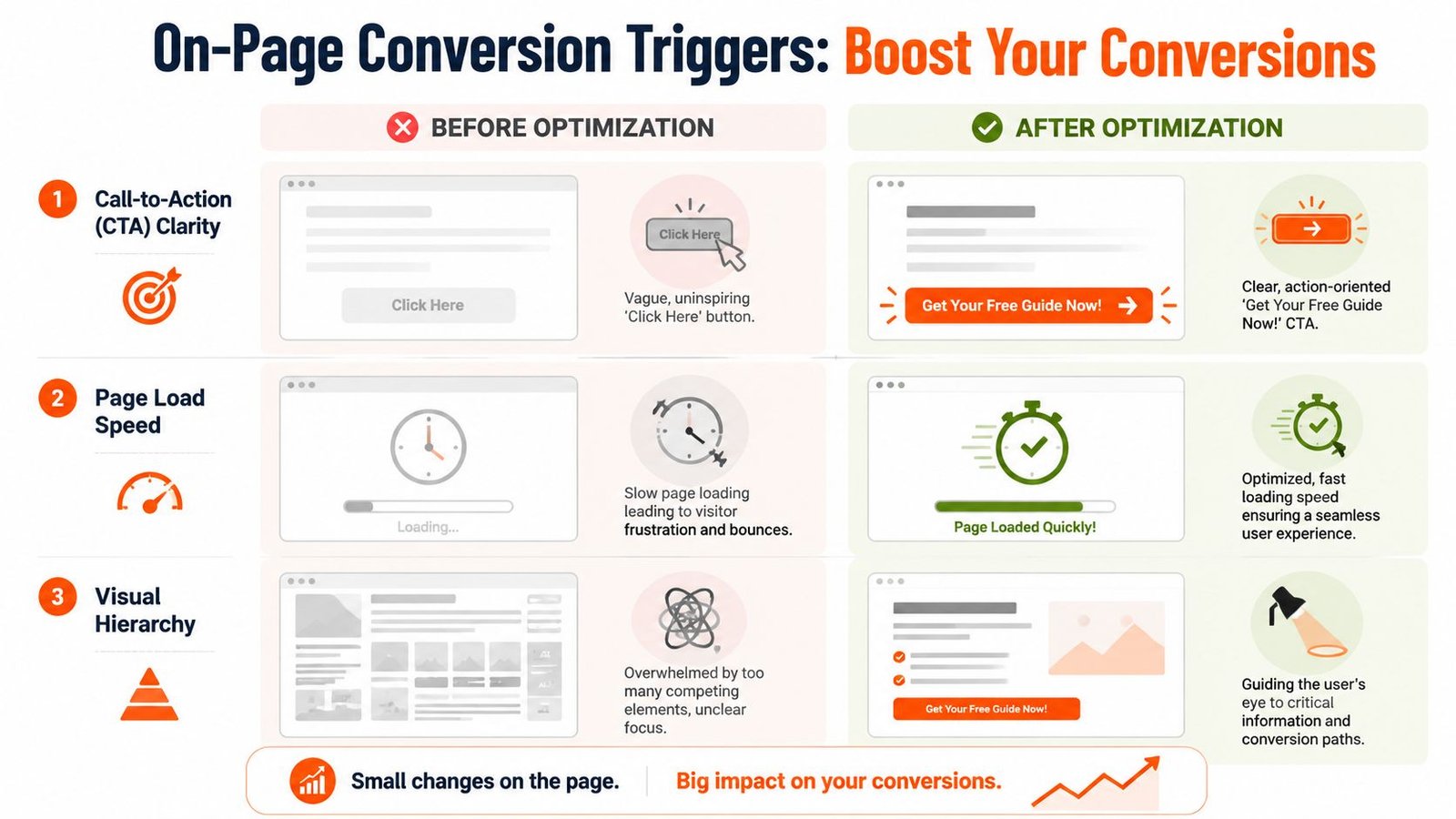
- Slow mobile experience: Even a small delay hurts momentum. For every 1 second of delay in mobile page load time, conversion rates can drop by up to 20% according to Google’s mobile page speed benchmarks.
If you run a local service business, that kind of friction can translate into lost calls every month. Not because your offer is weak, but because your site gets in the way.
Practical rule: If a visitor can’t understand what you do, why they should trust you, and how to contact you within a few seconds, your site is underperforming.
What conversion optimization actually fixes
Conversion Rate Optimization (CRO) isn’t a pile of random tricks. It’s the process of removing the obstacles that stop qualified visitors from becoming leads and customers.
That means tightening the pages that matter most:
| Website problem | What it costs you | What needs to change |
|---|---|---|
| Generic messaging | Low response from qualified traffic | Clear, offer-driven headlines |
| Weak mobile experience | Fewer calls and form fills | Faster, cleaner mobile pages |
| Poor CTA placement | Visitors stall instead of acting | Visible next steps on every key page |
| Low trust | Visitors compare you and leave | Reviews, proof, and local relevance |
If you want to see what those leaks look like in practice, review a real website audit example. It will help you spot the same problems on your own pages.
Find Your Baseline Before You Change Anything
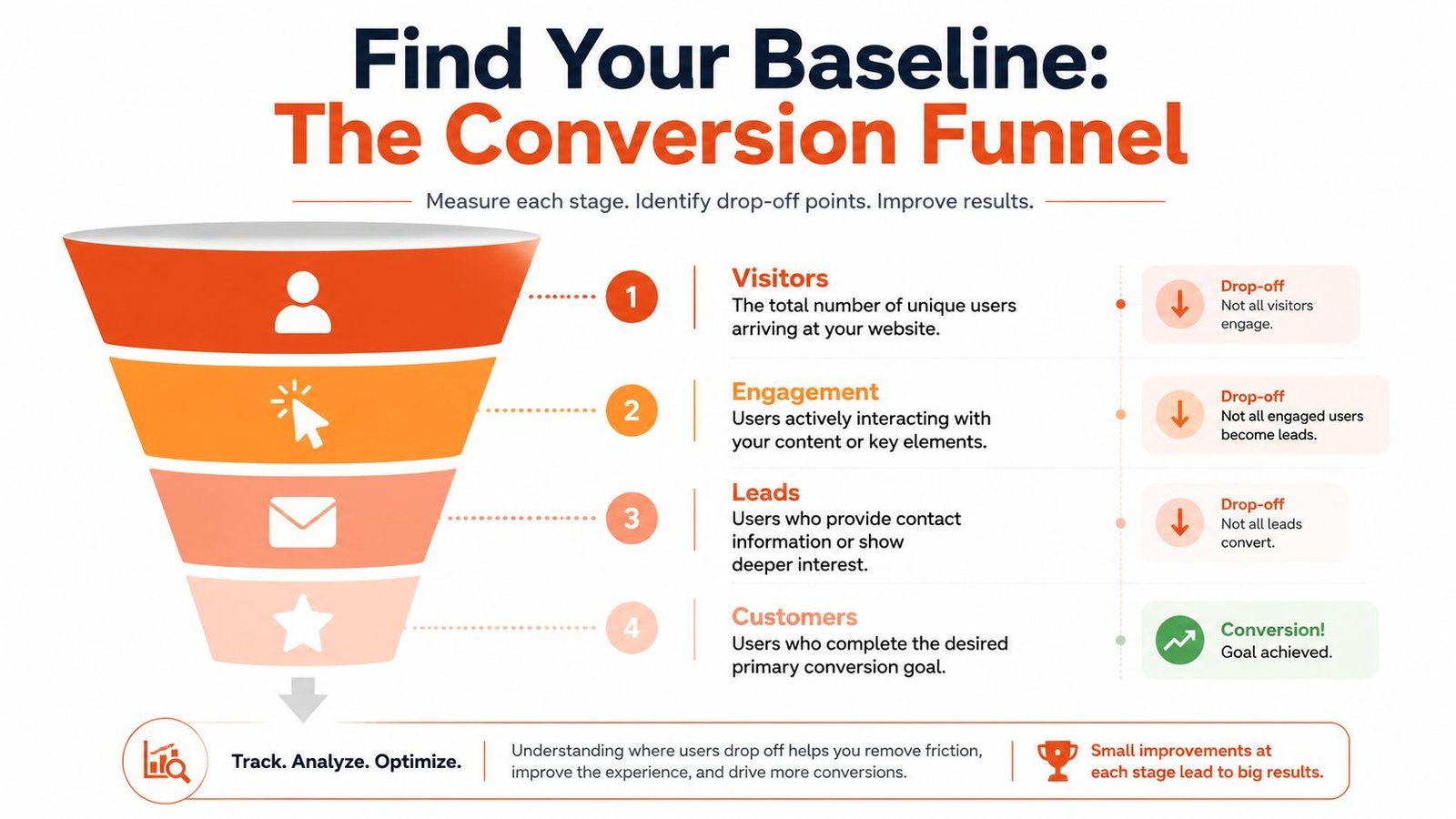
If you don’t track conversions properly, you’re guessing. That’s the fastest way to waste money on SEO campaigns, Google Ads traffic, and landing page edits that feel productive but don’t improve lead flow.
Before you redesign anything, get your baseline in place.
Track actions that matter to revenue
You don’t need a complicated analytics setup to start. You need to track the actions that signal buying intent.
For most local and service-based businesses, that means setting up conversion events in Google Analytics 4 for:
- Contact form submissions: Someone completed the main inquiry form.
- Click-to-call actions: A mobile visitor tapped your phone number.
- Booked consultations: A prospect reached the thank-you page after using your scheduler.
- Quote requests: A lead requested pricing, an estimate, or project details.
- Key landing page actions: People clicked the primary CTA on a campaign page.
Use GA4 to separate vanity metrics from real sales signals. Sessions and pageviews matter far less than actual buyer actions.
Build a simple measurement routine
Most businesses don’t need more dashboards. They need one clean reporting view they can understand.
Start with this routine:
- Define the primary conversion. Pick the action that matters most. For a law firm, that may be a consultation request. For a contractor, it may be a call or estimate request. For e-commerce, it may be checkout completion or add-to-cart progression.
- Define secondary conversions. These are supporting actions, like a click on a phone number, a financing inquiry, or a visit to a key service page.
- Check source quality. Look at whether SEO traffic, Local SEO traffic, Google Ads, and Meta Ads visitors behave differently. Some channels bring research traffic. Others bring decision-stage traffic.
- Review drop-off points. Are people landing on the page and bouncing? Are they scrolling but not clicking? Are they starting forms and quitting?
A conversion funnel without tracking is just a theory. Once GA4 is configured properly, you can see exactly where buyers stop.
If your setup is incomplete or unreliable, follow a practical Google Analytics 4 setup guide for businesses. Do this before you touch design, copy, or ad spend.
A measured baseline also helps answer objections early. Is this worth it? You’ll know because every change can be tied back to calls, leads, or booked appointments. Can you do it yourself? Possibly. But most owners don’t have time to set up tracking, analyze behavior, and turn the data into action consistently.
Implement These On-Page Conversion Triggers Today
Most websites lose easy wins, not because the business is unknown, but because the page doesn’t tell the visitor what to do next in a convincing way.
Small fixes here can change how many inquiries your existing traffic produces.
Fix the CTA first
The average business still uses CTA text like “Submit,” “Learn More,” or “Contact Us.” That wording is lazy. It asks for action without giving the visitor a reason.
Use CTA language that describes the outcome.
Good examples:
- Get My Free Quote
- Book a Consultation
- Request a Roofing Estimate in Miami
- Talk to a Google Ads Specialist
- Get SEO Help for My Business
There’s real evidence behind this. Personalizing CTAs can outperform generic calls-to-action by over 202%, according to HubSpot’s analysis of personalized calls-to-action. If you serve specific locations, mention them. A button like “Get a Free Estimate in Miami” speaks directly to local intent.
Reduce friction on service and landing pages
A high-converting page doesn’t ask the visitor to work hard. It reduces decisions.
Fix these areas first:
- Shorten the form: Ask only for what sales needs to respond. Name, contact info, and brief project details are usually enough at the first touchpoint.
- Match page message to intent: If someone searched “Google Ads agency for small business,” your page should talk about lead generation, wasted ad spend, tracking, and management. Not your company history.
- Answer the practical questions quickly: What do you do, who is it for, what happens next, how long does onboarding take, and how can they reach you?
- Show the work: Local service pages should include project photos, review snippets, service areas, and plain-language descriptions.
A Miami contractor page, for example, shouldn’t stop at “We provide remodeling services.” It should show neighborhoods served, before-and-after images, the estimate process, and a direct CTA above the fold.
For businesses that want more examples from a trades perspective, these conversion tactics for UK trades are useful because they focus on real buying behavior, not abstract design theory.
Later on the page, this walkthrough adds useful context:
Use page structure to push action
Design supports conversion when it creates a clear path. It hurts conversion when every section fights for attention.
A better page structure usually looks like this:
| Section | What it should do |
|---|---|
| Hero section | State the service, audience, and next step immediately |
| Proof block | Add testimonials, reviews, certifications, or portfolio examples |
| Service details | Explain the offer in plain English |
| Objection handling | Answer concerns about process, timing, and fit |
| CTA section | Present one clear action, not several competing ones |
The visitor shouldn’t have to figure out your sales process from your layout. The page should make the decision feel easy.
If you need dedicated pages built around lead generation, study what a conversion-focused landing page design should include. On these pages, paid traffic and local search traffic either turns into revenue or disappears.
One practical note. This is also the point where agencies, freelancers, or internal teams should be judged properly. If they’re talking mostly about colors and animations while ignoring CTA placement, form friction, keyword-to-page alignment, and lead tracking, they’re solving the wrong problem.
Build Unshakeable Trust Before They Click Contact
Visitors don’t contact businesses they don’t trust. That decision often happens before they read your full offer.
If your site feels outdated, thin, inconsistent, or vague, buyers assume the service experience may be the same.
Trust starts before the form
Trust isn’t only about testimonials. It starts with the overall experience.
A serious buyer notices things like:
- whether the mobile version works cleanly
- whether service pages feel specific or generic
- whether the business looks active and reachable
- whether contact information is easy to verify
- whether the site feels stable enough to submit personal information
That’s why conversion work has to overlap with technical performance and user experience. A polished page with broken trust signals still loses leads.
Local buyers need local proof
For local SEO and lead generation, broad trust isn’t enough. Buyers want signs that you’re real in their market.
That means your site should support what people see in search results and map listings.
Use local trust signals such as:
- Google Business Profile alignment: Your website, reviews, photos, hours, and service descriptions should tell the same story.
- Location relevance: Mention real service areas naturally. If you serve Miami, North Miami, Aventura, or nearby areas, that relevance should appear on the right pages.
- Visible reputation cues: Reviews, star imagery where appropriate, and customer feedback snippets matter because they lower perceived risk.
- Clear response expectations: Tell people what happens after they contact you. Will they get a call back, a quote review, or a consultation option?
One practical move many businesses ignore is collecting and displaying better customer proof consistently. A structured customer feedback collection process makes this easier and gives your service pages stronger evidence.
What trust signals should appear on your money pages
Your homepage matters, but your highest-value service pages matter more. That’s where decision-stage visitors land from Google.
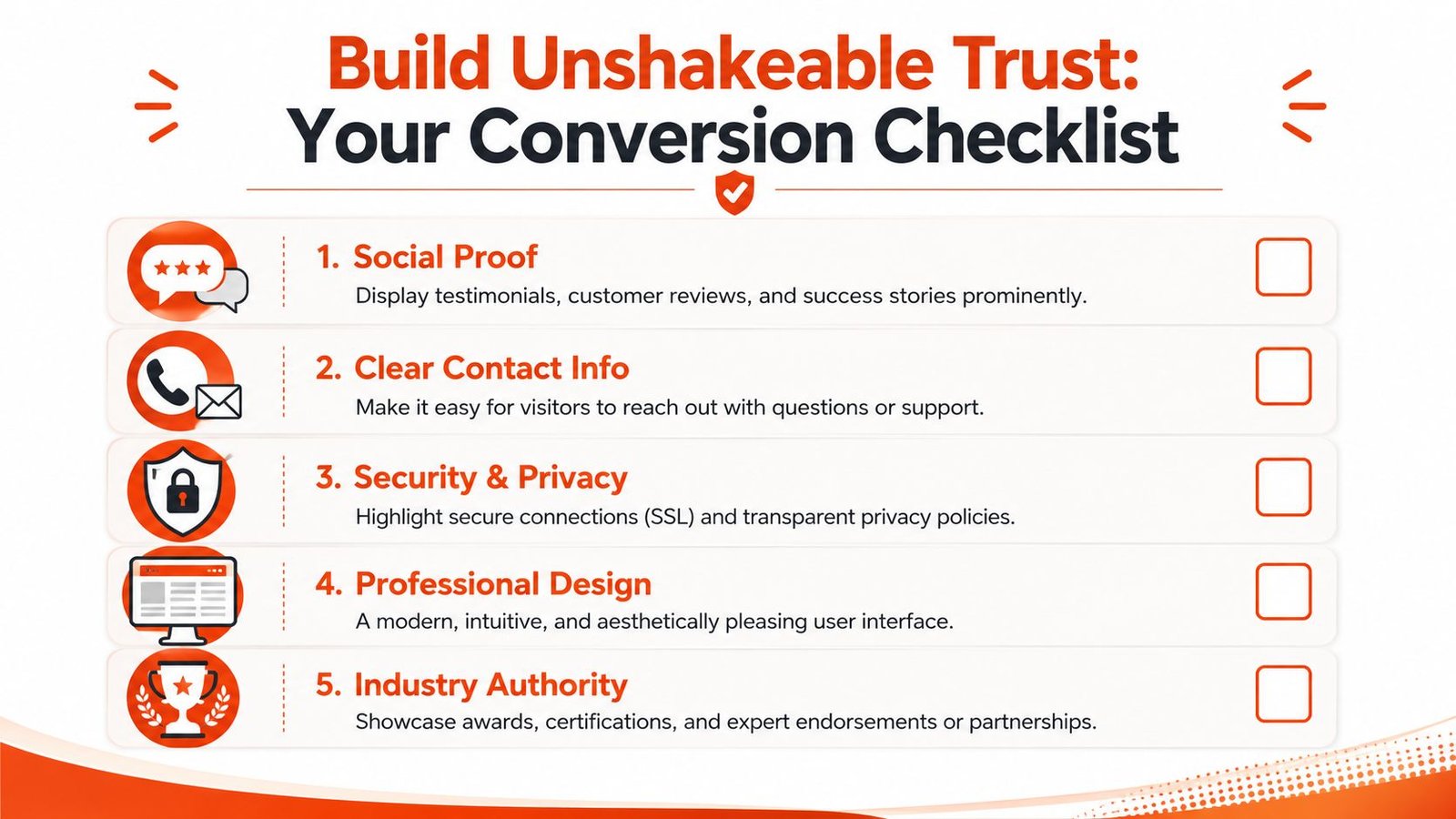
Use this checklist on those pages:
- Specific testimonials: Not vague praise. Use comments that mention the service experience, responsiveness, or problem solved.
- Real visuals: Photos of completed work, staff, office, or project outcomes.
- Accurate contact details: Phone, form, and location cues should be obvious.
- Professional credibility markers: Certifications, partnerships, platform expertise, or service specializations.
- Privacy and security reassurance: Basic signals that the site is safe to use and the form submission is legitimate.
Buyers don’t convert because you asked. They convert because the risk feels low and the next step feels safe.
This is also where a full-service partner can help beyond page edits. A company like VIP TECH CONSULTING handles websites, Local SEO, PPC, reputation management, and conversion-focused page improvements in one workflow, which is useful when trust gaps are spread across the site, map listings, landing pages, and ad traffic.
A Simple Roadmap for A/B Testing and Tracking ROI
A/B testing sounds technical, but the business idea is simple. Instead of arguing over opinions, you compare two versions of a page element and see which one produces more leads.
That’s how you stop redesigning based on guesses.
Test one meaningful variable at a time
Most businesses make testing harder than it needs to be. They change the headline, the image, the form, and the button all at once, then have no idea what improved performance.
Start with one meaningful variable:
- headline
- CTA text
- form length
- service page layout
- proof placement
- call button visibility on mobile
A practical example: if your Google Ads landing page gets traffic but not enough calls, test one headline against another. One version can focus on the problem. The other can focus on the result. Then compare which version drives more contact actions.
That’s what separates a professional conversion process from amateur tinkering.
Tie every test to a business outcome
Don’t test for the sake of testing. Tie the experiment to an outcome that matters.
Use a simple framework:
| Test | Success signal | Business meaning |
|---|---|---|
| CTA wording | More button clicks | More visitors are moving deeper into the funnel |
| Shorter form | More completed submissions | Less friction at the inquiry stage |
| New headline | More calls or bookings | The message matches buyer intent better |
| Revised landing page | Better lead quality | The page is filtering and persuading more effectively |
If you’re running Google Ads, accurate tracking matters even more. A campaign can look active while the landing page fails unnoticed. Proper Google Ads conversion tracking setup closes that gap and lets you judge performance on actual lead actions, not surface-level metrics.
If an agency can’t show how a test connects to calls, forms, or booked consultations, they’re not managing ROI. They’re decorating pages.
Is this worth it? Yes, if your site already gets qualified traffic and fails to convert enough of it. Can you do it yourself? In theory, yes. In practice, most owners won’t keep a disciplined testing cadence while also running sales, operations, and fulfillment. How long does it take? Long enough to require process, but not so long that inaction makes sense.
Your Prioritized Conversion Optimization Checklist
Most businesses make the same mistake. They collect random CRO tips, hand them to a designer or assistant, and hope something improves.
That approach fails because conversion work needs order. You fix measurement first, then friction, then messaging, then trust, then testing. Not the other way around.
Do these first

Use this shortlist if you want a practical starting point for how to increase website conversions:
- Install and verify GA4 conversion tracking. Track forms, calls, booked consultations, and landing page actions.
- Audit your main CTA. Replace generic button text with outcome-driven language.
- Review your mobile experience. Check load speed, click-to-call visibility, and form usability.
- Fix your highest-intent pages first. Start with service pages, location pages, and paid traffic landing pages.
- Tighten navigation. Remove distractions and make the path to inquiry obvious.
- Add proof where decisions happen. Reviews, photos, process clarity, and local relevance belong on money pages.
- Clean up forms. Ask for less at the first step.
- Align SEO and page intent. Traffic from “near me” and service-based searches needs matching landing pages.
- Test one change at a time. Don’t blend variables and pretend you learned something.
- Review lead quality, not just volume. A page that attracts the wrong inquiries isn’t optimized.
What’s included when you hire professional help
If you’re comparing providers, don’t just ask whether they “do CRO.” Ask what you get.
A proper conversion engagement should include:
- Tracking setup: GA4 goals, call tracking logic, and campaign attribution
- Page review: Service pages, local landing pages, and paid traffic destinations
- Copy improvements: Headlines, CTAs, trust language, and objection handling
- UX fixes: Mobile flow, form friction, layout hierarchy, and contact visibility
- Testing plan: Prioritized A/B tests with clear success criteria
- Communication: Regular review cadence and direct next-step recommendations
- Timeline clarity: What gets fixed first, what gets tested next, and what gets measured throughout
If a provider can’t explain their process in plain English, they probably don’t have one.
You don’t need more scattered advice. You need a system that turns search traffic, ad clicks, and local visibility into calls and customers.
If you’re ready to stop guessing, book a strategy session with VIP TECH CONSULTING. We’ll review where your site is losing leads, identify the fixes that matter first, and map out a practical path to more inquiries, calls, and booked consultations before your competitors take the next customer.