


If you’re searching for how to improve website loading speed, you already know there’s a problem. A slow website isn’t a minor glitch; it’s a direct threat to your revenue, actively driving potential customers to your faster competitors.
Every second of delay costs you money. You pour a budget into Google Ads and Meta Ads to attract leads, but what happens when they click? If your site takes more than three seconds to load, they’re gone. You just paid for a click that had zero chance of converting.
This is a critical issue for local businesses. A slow site kills your local SEO, damages your credibility, and ensures a poor return on your marketing investment.
The Real Cost of a Slow Website
The consequences of a slow site are immediate and severe. Potential customers don’t wait. They bounce, and that bounce sends a powerful negative signal to Google, telling it your site isn’t a good result.
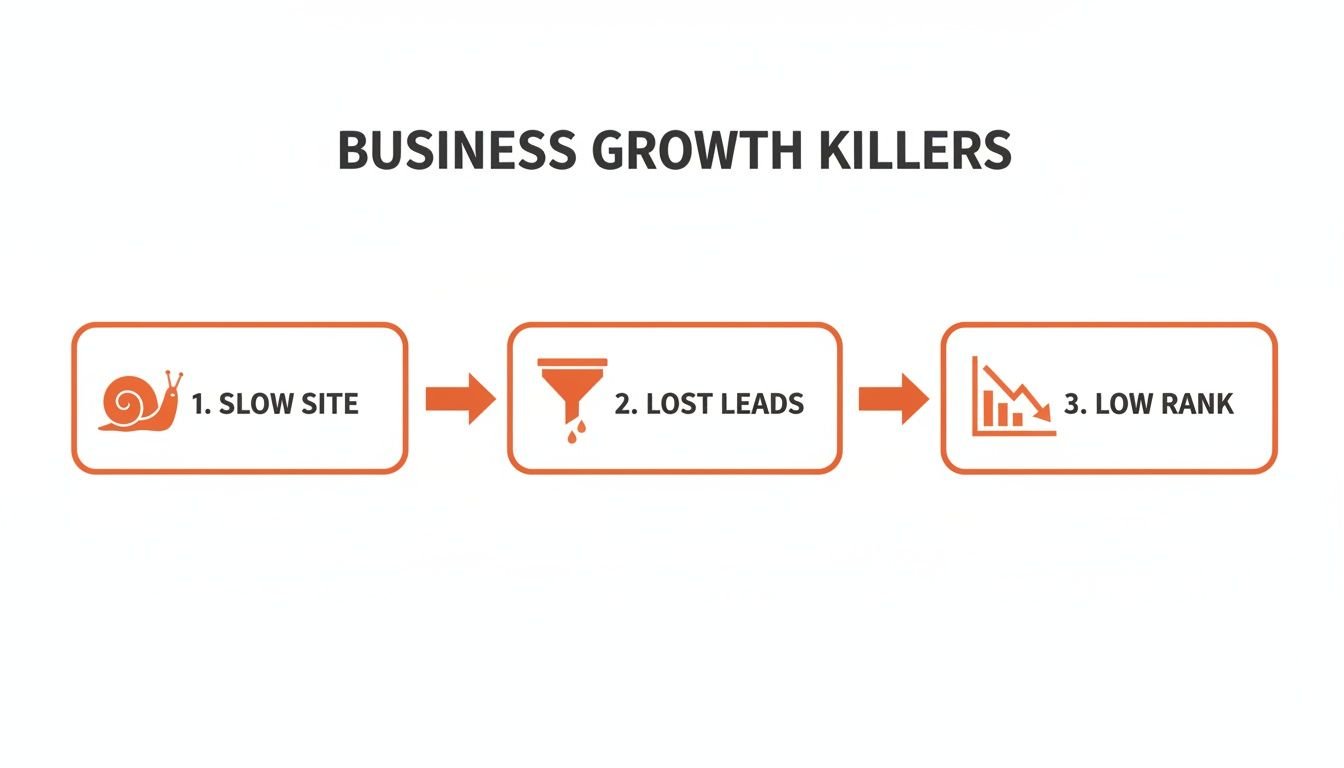
This creates a vicious cycle: slow speeds increase your bounce rate, which hurts your search rankings, which means fewer leads. For a local business trying to rank in competitive “near me” searches, this is devastating.
The data is clear:
| Load Time (Seconds) | Bounce Rate Increase | Impact on Your Business |
|---|---|---|
| 1-3 | +32% | Losing interested leads |
| 1-5 | +90% | Wasting ad spend |
| 1-6 | +106% | Damaging your SEO |
These aren’t just numbers; they represent lost phone calls, missed form submissions, and revenue handed directly to your competition. Improving site speed isn’t a technical task—it’s a core business growth strategy. It’s about ensuring every dollar you spend on SEO and paid ads has the best possible chance to generate a return.
If your website isn’t loading almost instantly, you’re not just losing traffic—you’re actively losing business. A professional audit can uncover these issues; our own process often gathers critical user data similar to this guide on feedback for your website design to pinpoint what’s really hurting performance.
How to Improve Website Loading Speed: A Professional Diagnosis
Before you can fix a slow website, you must understand what’s truly broken. Plugging your URL into a free tool like [Google PageSpeed Insights](https://pagespeed.web.dev/) gives you a score, but it rarely uncovers the root causes that are costing you leads and tanking your ad campaign ROI.
Chasing a perfect “100” score is a common mistake. We’ve seen countless sites with a good score that still feel slow and clunky to real users, especially on mobile devices where most of your local customers are searching. A professional diagnosis goes beyond vanity metrics.
Why Generic Speed Tools Fail
Generic tools often mislead business owners. They might highlight minor issues while completely missing critical bottlenecks like a slow server response time (Time to First Byte or TTFB). If your server takes too long to even start sending data, no amount of on-page tweaking will make your site feel fast.
Instead of a generic score, a professional diagnosis focuses on what your customers actually experience:
- First Contentful Paint (FCP): How quickly does anything appear on the screen? A slow FCP makes your site feel broken.
- Largest Contentful Paint (LCP): How long until the main content (like your hero image or headline) is visible? This is what makes a site feel fast.
- Time to Interactive (TTI): How long before a user can actually click a button or fill out a form? High TTI is a major source of frustration.
A proper audit, like our comprehensive site review example, analyzes these metrics to create a prioritized action plan. We fix what delivers the biggest real-world impact first.
Uncovering Hidden Performance Killers
Another common blind spot is the weight of third-party marketing scripts. The code for your Google Ads conversions, Meta Pixel, and live chat widget are essential for business, but if implemented incorrectly, they create a digital traffic jam.
A professional interprets reports like the one above to identify precisely which scripts are causing delays. We often find that a slow-loading marketing pop-up is the very reason a business’s paid ad campaigns are failing to convert.
Sometimes the issue isn’t even on your website but is related to network problems. For a technical deep-dive, see this guide on how to test for packet loss.
Our data-driven process ensures we fix the right problems, leading to a better user experience, improved SEO, and a higher return on your marketing spend.
Immediate Fixes for a Faster Website
While a full technical audit provides the most comprehensive solution, there are foundational fixes that can deliver an immediate performance boost. If you’re asking how to improve website loading speed right now, start here. These quick wins can stop you from losing leads today.
For businesses that rely on visuals, like local contractors or real estate agents, unoptimized images are almost always the biggest speed killer. It’s a problem you can start solving immediately.
Compress & Optimize Your Images
Every image on your site must be compressed and served in a modern format. This is non-negotiable for a fast website.
- Compress Every Image: Uploading a large photo directly from a camera is a critical mistake. Using an image compression tool can reduce file sizes by over 70% with no visible loss in quality. This single action delivers a massive speed improvement.
- Use Next-Gen Formats: Move beyond JPEG and PNG. Modern formats like WebP (developed by Google) provide superior compression and quality, which means faster loading for all visitors, especially those on mobile.
- Implement Lazy Loading: This smart technique tells a browser to only load the images a user can see. As they scroll, images further down the page load just in time. This drastically improves the initial perceived load time.
For a local business, this could be the difference between a potential customer browsing your project gallery or bouncing in frustration.
Leverage Browser Caching
Browser caching allows a visitor’s web browser to save parts of your site—like your logo, fonts, and stylesheets—on their own device.
When they return, their browser loads these saved files instantly instead of re-downloading them. This makes your site feel incredibly fast for repeat visitors and returning leads. Setting this up is a one-time technical fix that continuously pays off. A variety of website speed optimization tools can help you confirm if your caching is working correctly.
Upgrade Your Website Hosting
Your hosting is your website’s foundation. You can have a perfectly optimized site, but if it’s on a slow, cheap shared server, it will always feel sluggish.
Cheap shared hosting forces your site to compete for resources with hundreds of other websites. If another site gets a traffic spike, yours slows to a crawl. Upgrading to a quality managed host or a Virtual Private Server (VPS) provides dedicated resources. This simple change can slash your server response time and ensure your site is ready to convert the traffic your SEO and ad campaigns generate.
Advanced Strategies for a Competitive Edge

After handling the low-hanging fruit, the next step in answering how to improve website loading speed involves deep, technical optimizations. This is where you gain a significant and lasting advantage over competitors.
These strategies require expert implementation. They are not DIY tasks, but understanding them is crucial for any business owner serious about maximizing their online lead generation.
Implement a Content Delivery Network (CDN)
A Content Delivery Network (CDN) is one of the most powerful tools for ensuring a fast experience for every user, regardless of their location.
Your website is hosted on a server in a single physical location. For users far away, the physical distance creates a delay (latency). A CDN solves this by storing copies of your site’s files (images, CSS, etc.) on a global network of servers. When a user visits your site, the CDN delivers these files from the server closest to them.
The result? A customer across the country gets the same near-instant load time as someone in your city. For any business serving more than just their immediate local area, a CDN is essential infrastructure.
Minify & Defer Code
Your website’s code is its engine. Bloated, unoptimized code will slow everything down. Two key professional techniques to fix this are minification and deferral.
-
Minify CSS & JavaScript: Code contains spaces and comments to make it readable for developers. Minification is an automated process that strips all this out, shrinking file sizes and making them faster for browsers to download and process.
-
Defer Non-Essential Scripts: Your chat widget, analytics trackers, and ad pixels don’t need to load instantly. Deferring these scripts tells the browser to load the most critical content first (your text and images) and then load these less-important scripts in the background. This dramatically improves the user’s perceived load time and boosts Core Web Vitals scores.
These advanced optimizations directly impact your site’s performance and Google ranking, especially with the growing importance of mobile-first indexing and its impact on SEO. They are part of a larger application performance optimization strategy that separates an average website from a high-performance lead-generation machine.
If you’re ready to implement these strategies and secure a competitive advantage, our team has the technical expertise to execute them flawlessly.
The Hidden Speed Killers in Your Marketing Stack

It’s a painful irony: the very marketing tools you use to attract leads can be the same things slowing your site down and costing you conversions. When business owners ask how to improve website loading speed, their own marketing tech stack is often a major blind spot.
Every third-party script for Google Analytics, the Meta Pixel, or your live chat widget adds an external request. Each request adds a small delay. Together, they create a performance bottleneck that can add precious seconds to your load time, killing your ad ROI and SEO efforts.
The Real Cost of Your Marketing Tools
The problem with third-party scripts is that you don’t control them. Your website must call an external server and wait for a response. If that server is slow, your entire site can grind to a halt.
We see this constantly with popular tools:
- Live Chat Widgets: Fantastic for engagement but often load heavy code.
- Pop-up and Form Builders: Great for lead capture, but a poorly configured one can block your main content from loading.
- Heatmap and Session Recorders: Invaluable for analytics but constantly run in the background, consuming resources.
These tools are essential. The solution isn’t to remove them, but to implement them intelligently so they don’t sabotage your user experience.
Common Third-Party Scripts And Their Performance Impact
This table shows how common marketing scripts can affect your page speed if not managed by a professional.
| Script Type | Purpose | Potential Speed Impact |
|---|---|---|
| Analytics (Google) | Tracks visitor behavior, conversions, and traffic sources. | Low to Medium |
| Advertising (Meta, Google) | Tracks ad performance and builds remarketing audiences. | Medium to High |
| Heatmaps (e.g., Hotjar) | Visually records user clicks and scrolls. | High |
| Live Chat (e.g., Tidio) | Enables real-time conversations with visitors. | High |
| Customer Reviews | Displays user-generated reviews and ratings from a service. | Medium |
The cumulative effect of these scripts can create a major performance bottleneck, driving away the very leads you’re trying to attract.
How We Balance Performance and Marketing
The key is to manage these scripts, not eliminate them. We achieve this with Google Tag Manager (GTM), a professional tool that acts as a central control system for all your marketing tags.
With GTM, we can control when and how each script loads. For example, we can delay non-essential scripts like heatmaps or remarketing pixels. They are configured to load a few seconds after your page’s main content is visible and interactive.
The user gets a fast, snappy experience, and the marketing scripts still do their job in the background. This simple, expert-level change makes a massive difference in perceived performance and is crucial for maximizing conversions from your paid ad campaigns. For more insights on this, our guide on how to make adjustments to your Google Analytics provides actionable tips.
Frequently Asked Questions About Website Speed
When it comes to website speed, business owners have pressing questions. Here are clear, authoritative answers to the most common ones we hear.
How Does Website Speed Affect My Local SEO And Google Maps Ranking?
It has a direct and significant impact. Google uses page speed as a ranking factor. For a local business, a faster website is a powerful competitive advantage in “near me” searches and for securing a spot in the Google Maps 3-pack.
When a customer searches on their phone, they expect instant results. If your mobile site is slow, they will hit the back button and choose your competitor. Google tracks this behavior (bounce rate) and may lower your rankings as a result. For local lead generation, a fast site is non-negotiable.
Can I Just Use A Plugin To Speed Up My WordPress Site?
While caching plugins can help with surface-level issues, they are rarely a complete solution. A plugin is a band-aid, not a cure. It cannot fix underlying problems like a slow server, a bloated database, or inefficient code from your theme.
We frequently see sites bogged down by plugin conflicts, which can make performance even worse. A professional speed optimization service goes far beyond plugins, conducting a comprehensive audit to diagnose and fix the root cause of the slowdown.
How Long Does It Take To See Results From Speed Optimization?
You will see immediate improvements. Foundational fixes like image compression, browser caching, and implementing a CDN can deliver a noticeable boost in load times within days.
More significant, lasting gains are achieved over the following weeks as we implement deeper technical optimizations. Our goal is not a one-time fix but a sustained performance advantage that improves your SEO, lowers your ad costs, and provides a superior experience for every visitor.
My Website Already Gets Leads, So Why Should I Invest In Speed?
Even if your site is performing adequately, you are leaving money on the table. The data is clear: even a one-second delay in mobile load time can reduce conversions by 7% or more.
Imagine increasing your leads by 10%, 15%, or even 20% from the exact same amount of traffic you’re already getting. Investing in speed is one of the highest-ROI marketing decisions you can make. You will convert more visitors, lower your cost per lead, and build a powerful foundation for growth that your competitors cannot easily replicate.
Ready to stop losing customers to a slow website? The expert team at VIP TECH CONSULTING delivers comprehensive speed optimization designed to boost your SEO, improve your ad performance, and drive measurable business growth.
Schedule your free, no-obligation strategy session today and discover how a faster, higher-converting website can transform your business.
